FireScout Overview

FireScout Football
FireScout Basketball
FireScout Baseball
FireScout Hockey
FireScout Soccer
FireScout Volleyball
Guided Tour
Coaches' Comments
Before You Buy
System Requirements
Pricing
Technical Support
You do everything you can to help your team win. But do you spend hour after hour sifting through game videos searching for specific situations? Do your players spend more time watching you search through videos than practicing?
If this sounds like you, then you don't need more time, you just need to use your time more effectively. Let FireScout digital video editing technology help!
Spend less time with your VCR and more time with your team!
Here's how it works:
 Videotape the game.
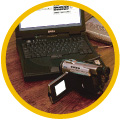 Load the game footage.
Load the game footage into FireScout by connecting your VCR or video camera to your PC (see a diagram).
 Analyze the game and let FireScout organize the data.
Quickly and easily enter game data into the program using customizable "keyboards" that can feature YOUR terminology. Afterward, FireScout can organize and search game segments and data according to what YOU want to see. A variety of graphical reports are right at your fingertips!
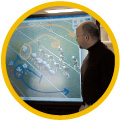 Instantly view scouting information and highlight clips.
Output video cut-ups of any game situation to a video white board or projection system to reinforce your coaching principles. Create videos for offensive plays, defensive plays, and player and team highlights.
Error processing SSI file